How To Reset An Eye Massager: Quick Easy Guide
Most eye massagers reset by holding the power button for 5–10 seconds after charging and turning the device off.
Learning how to reset an eye massager can solve frozen controls, failed Bluetooth links, weak heat, and odd massage cycles. The exact method can vary by brand, so this guide explains safe reset steps, model-specific clues, common mistakes, and signs that your device needs service instead of another reset.
Why You May Need to Reset an Eye Massager
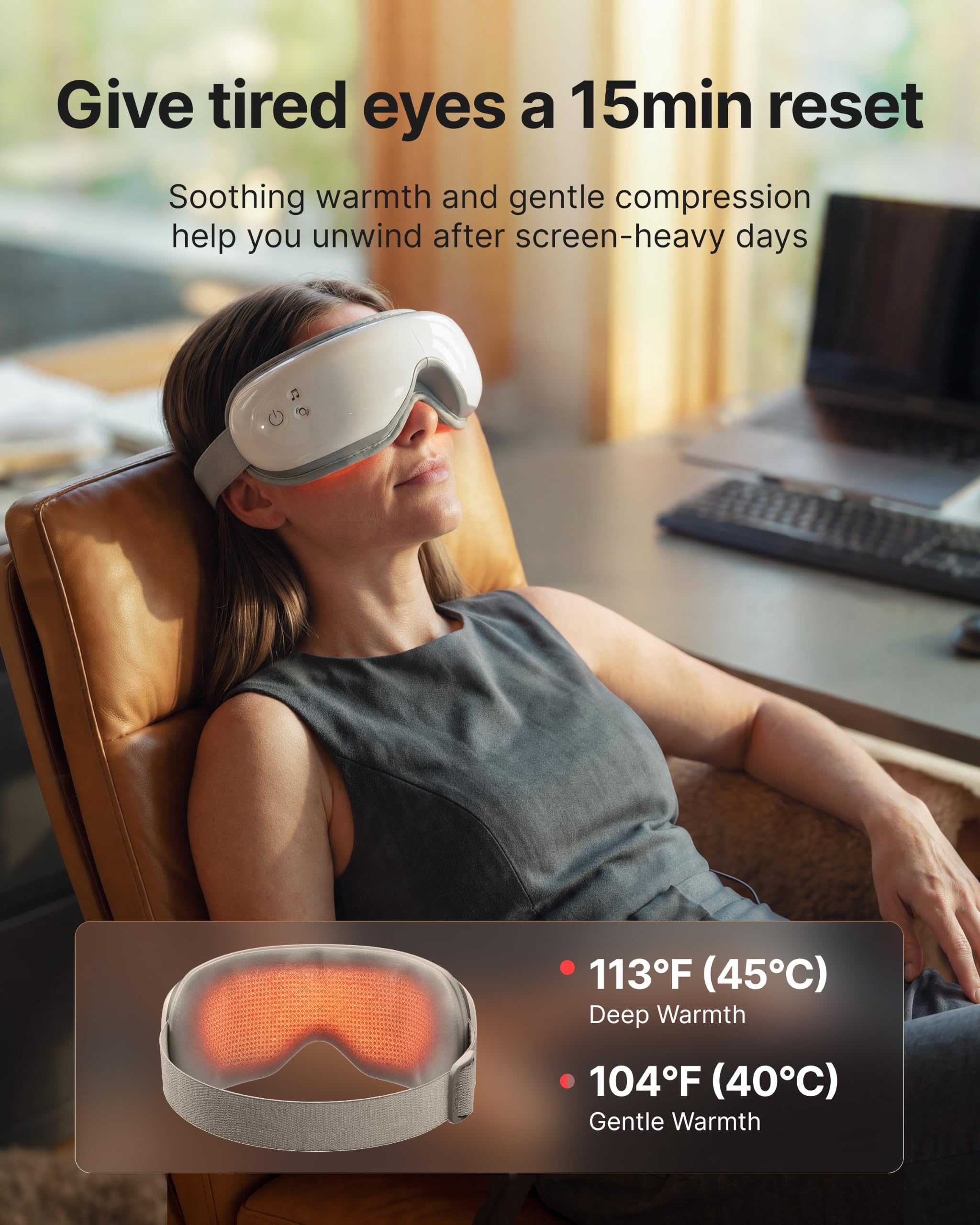
An eye massager is a small electronic device that may use heat, air pressure, vibration, music, and rechargeable power. Like a phone or wireless speaker, it can sometimes freeze or lose its normal settings.
You may need to reset an eye massager if:
• The power button does not respond.
• The device will not start after charging.
• The massage mode changes by itself.
• Heat or air pressure stops working.
• Bluetooth will not connect.
• The device shuts off during use.
• The controls work, but the sound or settings seem stuck.
A reset clears temporary errors. It does not usually repair a broken battery, damaged motor, wet circuit, or worn charging port. Think of a reset as turning a locked door handle, not rebuilding the door.
Before You Reset an Eye Massager
Take a few simple steps before you begin. Many “reset” problems come from low power, a loose cable, or a hidden travel lock.
Check the battery
Charge the eye massager with the cable supplied by the maker. Leave it connected for at least 30 minutes, or follow the time listed in the manual.
Check for:
• A charging light
• A battery icon
• A steady or flashing LED
• A loose USB plug
• Dust inside the charging port
Do not use a damaged cable. Also, do not charge the device if it is wet.
Turn off travel lock
Some eye massagers have a travel lock. This feature stops the device from turning on inside a bag.
Common ways to unlock it include:
• Holding the power button for three to five seconds
• Holding the power and mode buttons together
• Pressing the power button twice
The button pattern depends on the model. Look for a lock symbol in the manual or on the box.
Remove outside connections
If the massager connects to an app, remove it from your phone’s Bluetooth list before resetting it. This can prevent the device from trying to reconnect to an old or failed session.
Also unplug the charger before starting a reset. A few models cannot reset while connected to power.

How to Reset an Eye Massager: Standard Method
The standard reset method works for many rechargeable eye massagers. It is safe, simple, and often takes less than one minute.
- Stop the massage cycle.
- Remove the eye massager from your face.
- Turn the device off.
- Unplug the charging cable.
- Press and hold the power button for 5–10 seconds.
- Release the button when the light flashes, the device beeps, or the screen goes blank.
- Wait 30 seconds.
- Turn the device on again.
- Select a gentle mode and test it for a short time.
If the first attempt fails, try holding the button for 15 seconds. Some products use a longer press for a factory reset or forced restart.
Do not keep pressing random buttons for several minutes. That may switch the device into a different mode or start pairing instead of resetting it.
A button combination reset
Some models need two buttons. Common combinations include:
• Power and mode
• Power and volume up
• Power and volume down
• Power and heat
Hold the two buttons together for 5–10 seconds. Release them when the indicator changes.
Use the instructions for your exact model when possible. A button combination that resets one eye massager may activate a child lock or change the massage mode on another.
A charging reset
A charging reset can help when the massager shows no light or will not start.
- Connect the device to a safe power source.
- Charge it for 30–60 minutes.
- Disconnect the cable.
- Hold the power button for 10–15 seconds.
- Wait one minute.
- Connect the charger again for a few seconds.
- Disconnect it and try the power button once more.
This process may wake a battery protection circuit. It will not fix a battery that has reached the end of its service life.

How to Factory Reset an Eye Massager With Bluetooth
A Bluetooth eye massager may need two separate resets. First, reset the device. Then, remove its old connection from your phone.
Follow these steps:
- Reset the eye massager using the power button or button combination.
- Open your phone’s Bluetooth settings.
- Find the massager in the saved device list.
- Tap the information icon or settings symbol.
- Choose “Forget This Device” or “Unpair.”
- Turn Bluetooth off for about 10 seconds.
- Turn Bluetooth back on.
- Restart the eye massager.
- Pair it again through the manufacturer’s app or your phone settings.
Keep the massager close to your phone during pairing. Turn off nearby Bluetooth devices if the connection keeps jumping to another product.
A factory reset may erase stored preferences. It may also remove saved volume, heat, timer, or language settings. It usually does not erase the app account itself.
How to Reset an Eye Massager by Brand or Control Type
There is no universal reset code for every eye massager. Manuals are the best source because the same button may perform different tasks on different products.
Devices with one power button
Hold the power button for 10–15 seconds while the device is off. Wait for a beep or flashing light, then release it.
Devices with a touch panel
Press and hold the main touch area. Some touch panels respond only when your finger is dry and the device is unplugged.
Devices with a remote control
Turn off the main unit. Remove the remote batteries for one minute. Replace them, then restart the massager.
Devices with a phone app
Open the app and check for:
• A firmware update
• A device removal option
• A factory reset command
• A support or help menu
Do not interrupt a firmware update. A failed update can leave the device unusable.
Devices with a screen
Look for a settings menu. Select “Reset,” “Restore,” or “Factory Settings.” Confirm the choice only after checking what information will be erased.

What to Do If the Reset Does Not Work
If learning how to reset an eye massager does not solve the issue, check the basic power and control points again.
Try these steps:
• Test another approved charging adapter.
• Inspect the cable for cuts or bent ends.
• Clean the charging port with a dry, soft brush.
• Make sure the face cushion is not blocking a sensor.
• Remove the device from its case before turning it on.
• Let the device cool for 20–30 minutes.
• Try a second reset after a full charge.
• Check the manual for a lock symbol or button combination.
Never insert a metal object into the charging port. Do not use water, alcohol, or spray cleaner inside the device.
When the device may have a hardware fault
A reset will not solve every problem. Contact the maker if:
• The massager smells hot or burnt.
• The battery swells.
• The casing cracks.
• The device becomes very hot.
• It makes a grinding sound.
• It turns on only when the cable is bent.
• It shuts off after a few seconds each time.
• It has been exposed to water.
Stop using the product if the battery swells, leaks, smokes, or becomes unusually hot. Place it on a nonflammable surface and follow local battery disposal rules.

Safety Tips After You Reset an Eye Massager
Test the device before placing it over your eyes. Start with the lowest heat, pressure, and vibration settings.
A safe test looks like this:
- Turn the device on.
- Run it for one minute while holding it in your hands.
- Check for unusual heat, noise, smell, or movement.
- Place it over your eyes only if it seems normal.
- Stop at once if you feel pain, pressure, dizziness, nausea, or blurred vision.
An eye massager should feel gentle. It should not press hard on the eyeballs or cause sharp pain. The American Academy of Ophthalmology advises care with products used around the eyes, especially when a person has an eye condition or has recently had eye surgery.
Ask an eye doctor before use if you have:
• Glaucoma or suspected glaucoma
• Retinal disease
• Recent eye surgery
• Severe dry eye
• Eye inflammation or infection
• A detached retina history
• Unexplained eye pain or vision changes
Do not use the device over contact lenses unless the manual clearly allows it. Remove makeup and keep the cushion clean. Resetting an eye massager does not make it safe to use over an active infection or injured skin.
Common Mistakes to Avoid
One common mistake is holding the power button while the charger remains connected. Some models enter charging mode instead of reset mode.
Another mistake is using a fast charger without checking the product rating. Many devices accept standard USB power, but the manual should guide your choice. If the device becomes hot while charging, unplug it and stop the test.
People also reset the massager too often. A reset is useful after a clear software or connection problem. It should not replace cleaning, correct charging, or professional service.
During practical product checks, the most useful lesson is simple: change one thing at a time. Charge the unit first, then try a forced restart, then test Bluetooth. This makes it easier to find the real cause instead of guessing.
How to Keep an Eye Massager Working Well
Good care can prevent many reset problems.
• Charge the device before the battery reaches zero.
• Store it in a cool, dry place.
• Keep the charging port free of lint.
• Wipe the eye cushion with a soft, slightly damp cloth.
• Let the cushion dry fully before storage.
• Do not fold the device more than the design allows.
• Avoid dropping it or placing heavy items on it.
• Use the original cable when possible.
• Install official firmware updates only.
• Follow the recommended session length.
Most eye massagers use a lithium-ion battery. Like other rechargeable batteries, it loses capacity over time. If the unit runs for only a few minutes after a full charge, the battery may need replacement rather than another reset.
How to Tell Whether You Need a Replacement
Consider replacement when the device has repeated power failures, poor battery life, or unsafe heat after basic troubleshooting.
Check the warranty before opening the case. Opening the unit may void coverage and can expose the battery or wiring. A qualified repair center should handle battery replacement.
Choose a new eye massager with:
• Clear reset instructions
• A reliable warranty
• Adjustable pressure and heat
• An automatic shutoff
• Easy-to-clean cushions
• A charging indicator
• Controls that are easy to use without sight
• A return policy from a trusted seller
A low price is not the only factor. A clear manual and strong safety features can save time and reduce risk.
Frequently Asked Questions About How to Reset an Eye Massager
How long should I hold the power button to reset an eye massager?
Hold the power button for 5–10 seconds first. If nothing happens, try 15 seconds with the charger unplugged, unless the manual gives a different instruction.
Will resetting an eye massager delete my Bluetooth connection?
A factory reset may remove saved Bluetooth details and personal settings. Afterward, forget the device on your phone and pair it again.
Why will my eye massager not turn on after a reset?
The battery may be empty, the cable may be faulty, or travel lock may be active. Charge the unit with an approved cable, check the lock function, and contact the maker if there is still no response.
Can I reset an eye massager while it is charging?
Many models will not reset during charging. Unplug the device first, wait a few seconds, and then use the reset steps in the manual.
Is it safe to use an eye massager after resetting it?
Test it on a low setting before placing it over your eyes. Stop if it causes pain, unusual heat, vision changes, dizziness, or strong pressure.
How often should I reset an eye massager?
Reset it only when you have a control, power, or connection problem. Frequent resets may point to a weak battery, damaged button, software fault, or charging issue.
Conclusion
Resetting an eye massager usually starts with a full charge, an unplugged cable, and a long press of the power button. If that fails, check travel lock, Bluetooth pairing, button combinations, and the exact instructions for your model.
Use gentle settings after the reset, watch for heat or damage, and stop using the device if it causes pain or changes your vision. Save the manual, care for the battery, and contact the manufacturer when a reset cannot solve a hardware problem. Explore your model’s support guide today, and share your experience if these steps helped.