How To Charge An Eye Massager: Easy Charging Guide
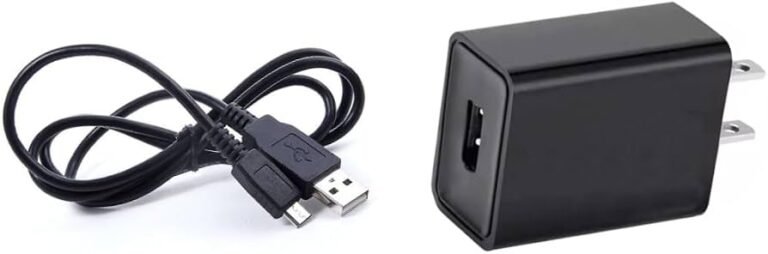
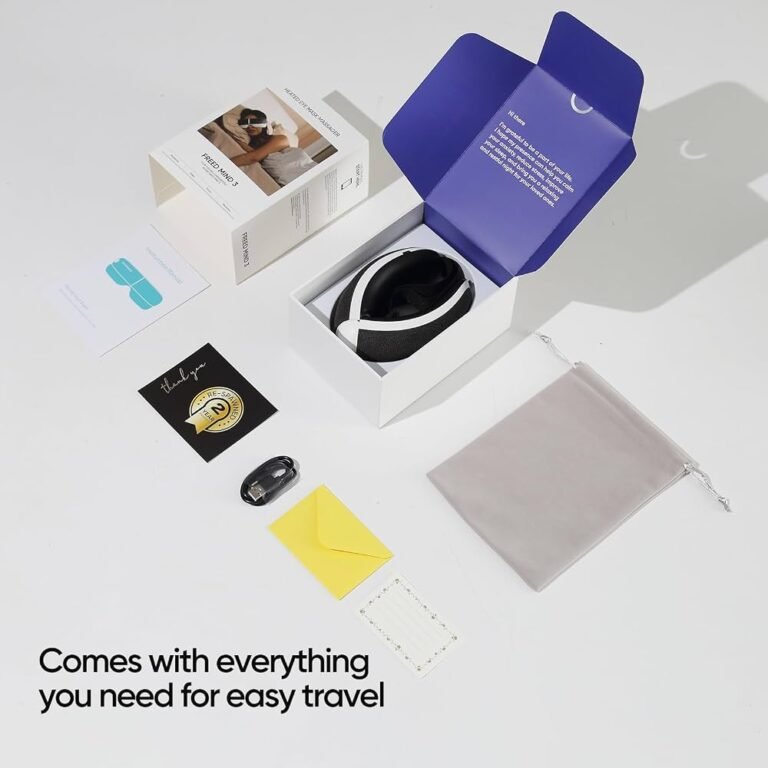
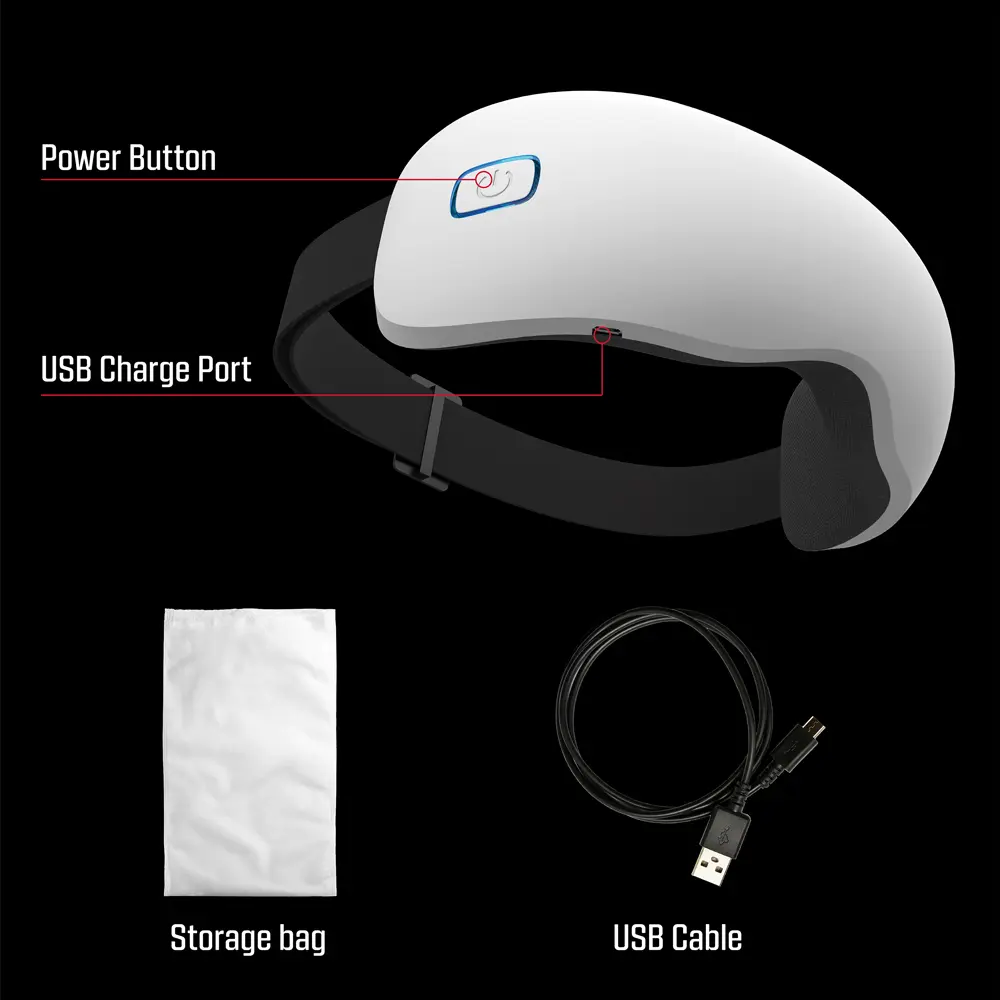
Most eye massagers charge through USB, using the included cable, adapter, or charging dock.
Learning how to charge an eye massager is simple, but the small details matter. The right cable, power source, charging time, and storage habits can protect the battery and help the device work safely. This guide explains the process in clear steps, with practical tips for common charging problems and long-term battery care.
How to charge an eye massager step by step
Most eye massagers use a built-in rechargeable lithium-ion battery. You usually charge the device with a USB-A, USB-C, or magnetic charging cable. Some models use a special charging dock instead.
Here is how to charge an eye massager safely:
- Turn the eye massager off.
- Find the charging port or charging contacts.
- Connect the correct cable to the device.
- Plug the other end into a safe USB power source.
- Check for a charging light or battery symbol.
- Leave it connected for the time listed in the user manual.
- Unplug the device when it is fully charged.
- Store the cable and massager in a cool, dry place.
Do not force the connector into the port. A USB-C plug should fit smoothly on either side. If the device uses magnetic contacts, line them up carefully instead of pushing them into place.
In hands-on product checks, one common mistake is charging the massager while it is still inside its case. A case can trap heat, much like a blanket around a warm phone. Remove the device from the case before charging it.

Identify the charging method first
Before learning how to charge an eye massager, inspect the device and its accessories. The charging method can differ between brands and models, even when the devices look alike.
Common charging methods include:
USB-C charging
USB-C is now common on newer eye massagers. It has a small, oval-shaped port and usually accepts the included USB-C cable. You can connect it to a wall adapter, computer, power bank, or other approved USB source.
Micro-USB charging
Older models may use a Micro-USB port. This port has a smaller, tapered shape and only fits one way. Never push a Micro-USB cable in upside down, as this may bend the internal pins.
Magnetic charging
Some eye massagers use a magnetic cable. Small metal contacts on the device connect with matching points on the cable. Keep these contacts clean and dry for a stable connection.
Charging dock
Premium models may include a charging stand or dock. Place the eye massager in the dock as shown in the manual. The charging pins must touch the matching contacts for power to flow.
Wireless charging
Wireless charging is less common in eye massagers. If your model supports it, use the recommended charging pad or dock. Do not assume that a regular wireless phone charger will work unless the manufacturer confirms compatibility.

Choose a safe power source
A safe power source is an important part of how to charge an eye massager. The included wall adapter is usually the best choice because it matches the device’s charging needs.
You may also use:
• A certified USB wall adapter
• A laptop or desktop USB port
• A quality power bank
• A USB charging hub with overload protection
Avoid damaged adapters, loose outlets, and very cheap unbranded chargers. A poor-quality power supply can cause unstable charging or excess heat.
The output label on a charger may show values such as 5 volts and 1 amp or 5 volts and 2 amps. Many small personal devices use standard USB power, but the user manual remains the final guide. Fast-charging adapters may work with some models, but they are not suitable for every device.
For extra safety, charge the eye massager on a hard surface. A desk or table is better than a bed, couch, or thick carpet. Keep the charger away from water, direct sunlight, and children.

How long does an eye massager take to charge?
Charging time depends on the battery size, charger, cable, and model. Many eye massagers need about two to three hours for a full charge. Some finish sooner, while others may need up to four hours.
The indicator light often shows the charging status:
• Red or orange may mean the battery is charging.
• Green, white, or blue may mean the battery is full.
• A flashing light may show a low battery or an active charging cycle.
• No light may indicate a loose cable, a full battery, or a fault.
Do not judge the charge by time alone. The indicator and the user manual are more reliable. If the device becomes unusually hot, smells strange, swells, or makes a buzzing sound, unplug it at once and stop using it.
A full charge does not always provide the same number of sessions. Heat, battery age, massage strength, music, vibration, and air pressure can all affect battery life.

How to charge an eye massager for the first time
You do not need to fully drain a new eye massager before charging it. Modern lithium-ion batteries do not require the old “complete discharge” routine used by some older battery types.
For the first charge:
- Remove all packaging from the device and cable.
- Check the charging port for dust or plastic covers.
- Connect the supplied cable or dock.
- Charge it until the indicator shows full power.
- Unplug it before using the massager.
- Test one short session before starting a long routine.
A first charge may take longer if the battery has been stored for months. This is not always a problem. If the device never shows a charging light after trying another outlet and cable, contact the seller or manufacturer.
One useful lesson is to keep the manual. A small diagram may explain the light colors, charging time, and reset process better than a general online guide.

Signs that your eye massager is charging
When you connect the cable, look for a clear response from the device. Most models show a light, screen symbol, sound, or battery icon.
A charging response may include:
• A light near the power button
• A battery symbol on a small display
• A short beep or voice prompt
• A blinking indicator
• A light on the charging dock
If nothing happens, wait about 10 seconds. Some devices delay the light while they check the battery. Then check whether the cable is fully inserted and the outlet is working.
Do not turn the massager on and off repeatedly while it is plugged in. Some models cannot run while charging. Others may stop charging when the motor starts.
What to do if the eye massager will not charge
If the eye massager will not charge, use a simple process of elimination. Start with the easiest causes before assuming the battery has failed.
Try these steps:
- Use the original cable if you still have it.
- Try a different certified USB wall adapter.
- Test another electrical outlet.
- Inspect the port for lint or dirt.
- Make sure the cable is fully inserted.
- Check magnetic contacts for oil or residue.
- Leave the device connected for 30 minutes.
- Press the reset button if the manual lists one.
- Try a different compatible cable.
- Contact customer support if the problem remains.
Clean charging contacts with a dry, soft cloth. Do not pour liquid into the port, use a metal object, or scrape the contacts. Compressed air can also push dirt deeper into a small port, so use it with care.
A battery may enter a protection state after sitting empty for a long time. A short wait can sometimes restore charging. However, a swollen battery or damaged port needs professional attention, not home repair.

How to protect the battery
Knowing how to charge an eye massager also means knowing how to protect its battery between sessions. Good habits can reduce stress on the battery and improve daily use.
Follow these tips:
• Avoid extreme heat and freezing temperatures.
• Do not leave the massager in a hot car.
• Unplug it after the charge is complete.
• Keep the charging port dry.
• Use the supplied cable when possible.
• Do not use the device while it is wet.
• Store it with some charge if you will not use it for weeks.
• Avoid dropping or crushing the device.
You do not need to wait until the battery reaches zero before charging. Frequent top-ups are generally suitable for modern rechargeable batteries. Still, avoid leaving any battery-powered product connected for days at a time.
If you store the eye massager for a long period, charge it to a moderate level and check it every few months. Exact storage advice may differ by model, so follow the manual when available.
Charging safety and hygiene tips
Eye massagers sit close to sensitive skin and the eyes, so charging safety and cleaning both matter. Always remove the device from your face before connecting it to power.
Keep these rules in mind:
• Never charge the massager near a sink, bathtub, or wet towel.
• Do not use a cable with exposed wires or bent metal.
• Stop using the device if the battery swells or leaks.
• Keep the charger away from heat sources.
• Do not cover the device while it charges.
• Clean the eye cushions according to the manufacturer’s instructions.
• Let the device dry fully before charging it.
Most eye massagers are not waterproof. A model may be labeled water-resistant, but that does not always mean it can be washed under a tap. Check the protection rating and care instructions before using water.
If the massager has been dropped, inspect the housing and charging port. A cracked case may allow moisture to reach the battery. In that situation, do not charge the device until it has been checked.
Can you use an eye massager while charging?
Many eye massagers do not work while connected to a charger. This design can reduce the risk of overheating and prevents the cable from pulling across your face.
Some models may allow use during charging, but that does not make it the best choice. The cable can become a trip hazard, and the device may heat up during vibration, air pressure, or warming functions.
Use the massager only as the manufacturer allows. If the manual says not to use it while charging, follow that instruction. This is especially important for devices with heat settings.
How charging affects eye massager performance
A low battery can change how an eye massager feels. Air pressure may weaken, vibration may become uneven, and heat may shut off early. Some devices reduce power automatically before the battery runs out.
A full battery can help the device deliver a more consistent session. However, charging does not fix every performance problem. Weak pressure may come from a blocked air vent, poor fit, worn cushions, or a normal power-saving setting.
If the massager loses power much faster than it did when new, the battery may be aging. Rechargeable batteries naturally lose capacity over time. A replacement may be possible, but it should be installed by the manufacturer or a qualified repair service.
Common mistakes to avoid
The most common mistakes are simple and easy to prevent. They usually involve the wrong cable, a wet port, or poor storage.
Avoid these habits:
• Using a cable that does not fit securely
• Charging from a damaged power adapter
• Leaving the device under a pillow
• Pulling the cable by the wire
• Cleaning the port with a sharp tool
• Charging a visibly swollen device
• Storing the massager in a hot bathroom
• Ignoring unusual smells, heat, or sounds
Another mistake is assuming every USB cable has the same quality. Some cables only support certain power levels, and damaged cables may create an unstable connection. When possible, use the cable supplied with the eye massager.
A simple charging routine
A regular routine makes how to charge an eye massager almost automatic. Charge it after use if the battery is low, or choose one day each week for a top-up.
A practical routine looks like this:
- Wipe the device with a suitable dry or slightly damp cloth.
- Allow it to dry completely.
- Place it on a clear, hard surface.
- Connect the original cable or dock.
- Confirm the charging indicator.
- Unplug it when full.
- Store it in a cool, dry place.
For example, if you use the massager every night, charge it on Sunday evening. This helps prevent a low-battery surprise during a stressful workweek.
Frequently Asked Questions About How to Charge an Eye Massager
Can I charge an eye massager with a phone charger?
You can often use a phone charger if it has a compatible USB connection and suitable output. Check the eye massager manual first, especially if the charger supports fast charging or unusual power levels.
How long should I charge an eye massager?
Many models take two to three hours, but the exact time varies. Stop charging when the indicator shows a full battery or when the manual says the cycle is complete.
Can I leave my eye massager charging overnight?
It is safer to unplug the device after it reaches full charge. Avoid overnight charging if the manual advises against it or if the device becomes hot during charging.
Why is my eye massager not showing a charging light?
The cable may be loose, damaged, or incompatible, or the outlet may not provide power. Try the original cable, another adapter, and another outlet before contacting support.
Can I use my eye massager while it charges?
Some models allow this, but many do not. Follow the manufacturer’s instructions, and avoid using the device while charging if it becomes warm or the cable creates a safety risk.
How do I clean the charging port?
Turn the device off and use a dry, soft brush or lint-free cloth around the port. Never insert metal tools or pour liquid into the charging socket.
What should I do if the battery swells?
Stop using and charging the eye massager immediately. Do not puncture, open, or throw the battery into household trash; contact the manufacturer or a local battery recycling service for safe handling.
Conclusion
How to charge an eye massager comes down to using the correct cable, a safe power source, and the charging time recommended for your model. Keep the device dry, charge it on a hard surface, avoid damaged accessories, and watch for signs of overheating or battery damage.
A few careful habits can help your eye massager stay reliable for daily use. Check your manual today, inspect your cable, and create a simple charging routine that fits your schedule. Share your experience or explore more device-care guides to get the most from your wellness tools.