How To Update Massage Chair Software: Easy 2026 Guide
How to update massage chair software: check your model, download the correct firmware, and install it without interrupting power.
Learning how to update massage chair software can improve stability, add features, and fix control problems. Yet a firmware update is not the same as a phone app update. Each massage chair brand uses its own files, tools, and safety steps. This guide explains the process in clear terms, including USB updates, Wi-Fi updates, common errors, and ways to protect your chair during the installation.
What Is Massage Chair Software?
Massage chair software is the set of digital instructions that controls the chair’s hardware. It tells the rollers how to move, how far the footrest should extend, and how the chair should respond to the remote or mobile app.
The software may also control:
• Massage programs and body scans
• Bluetooth or Wi-Fi functions
• Voice control
• Zero-gravity positions
• Heat settings
• Safety sensors
• Recline and footrest movement
Manufacturers may call this software firmware. Firmware is stored inside the chair’s control system. It is more like the chair’s internal rulebook than a normal app.
When you learn how to update massage chair software, it helps to know the difference between three types of updates:
• Chair firmware updates change the internal operating system.
• Mobile app updates improve the phone or tablet app.
• Remote control updates change the software used by the chair’s handheld controller.
These updates may be separate. Updating the phone app does not always update the chair itself.
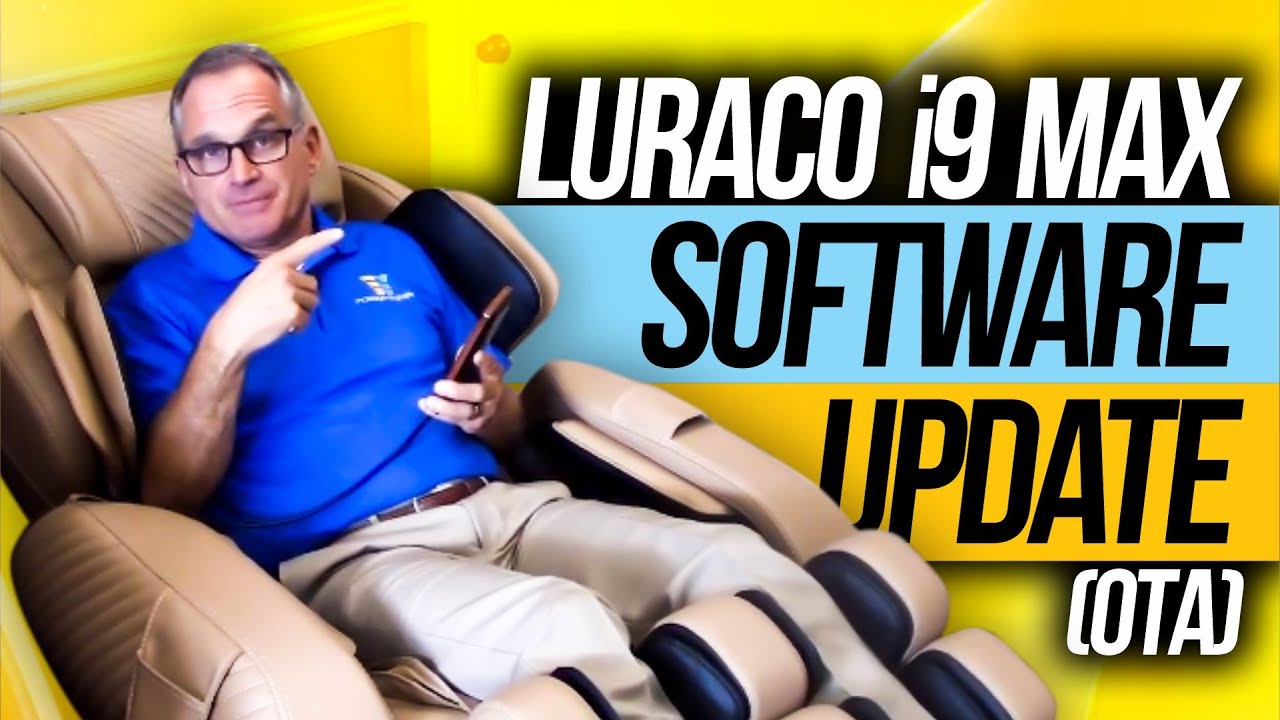
Why Update Massage Chair Software?
A software update may solve a problem that looks like a hardware fault. For example, a chair may stop halfway through a program because the software fails to read a position sensor correctly.
Common reasons to update include:
• Fixing remote control errors
• Solving Bluetooth or Wi-Fi connection issues
• Adding support for a newer mobile app
• Improving body scan accuracy
• Correcting recline or footrest behavior
• Reducing unexpected shutdowns
• Improving system safety checks
Some updates add new programs or change the way existing programs work. Others only fix small bugs that you may never notice.
In my experience testing connected home devices, many failed updates happen because people install the wrong file, use a weak power source, or turn off the device too soon. A careful update often takes only a few minutes. A rushed update can leave the chair unable to start.
An update also may not fix a mechanical problem. A noisy roller track, worn motor, broken cable, or damaged power board needs physical service. Software is the chair’s brain, but it cannot repair a damaged joint or motor.

Check Your Massage Chair Model First
Before learning how to update massage chair software, identify the exact chair model. Many brands sell chairs that look alike but use different firmware.
Look for the model number in these places:
• A label on the back of the chair
• A label under the footrest
• The user manual
• The original box
• The chair’s settings menu
• The product registration page
Write down the full model name. Include letters, numbers, and regional marks. A model called “MC-300” may use different software from “MC-300 Pro” or “MC-300 Plus.”
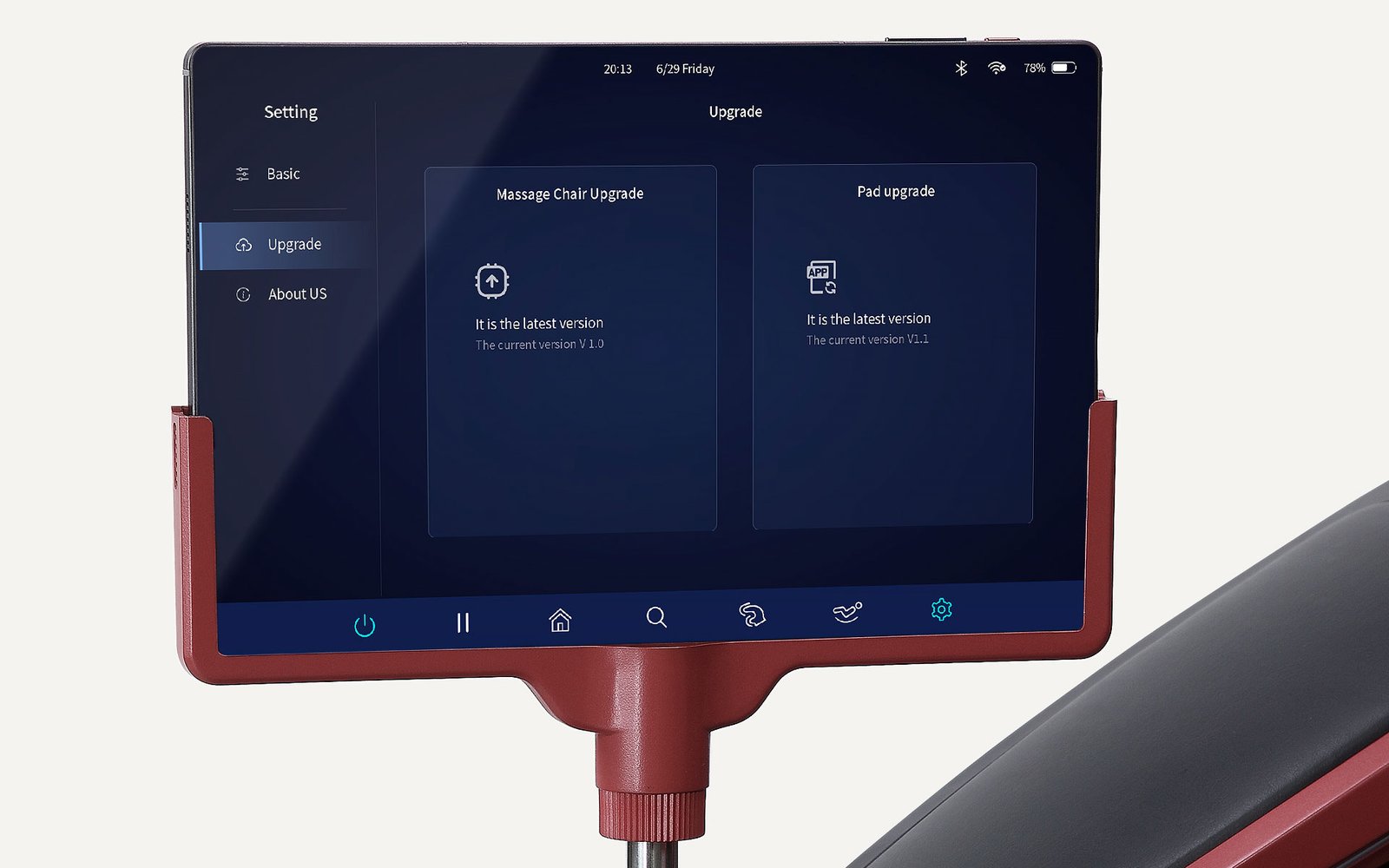
Also record the current software version. You may find it under a menu such as:
-
Settings
-
System information
-
Device information
-
About
-
Version
Take a photo of this screen before starting. It gives you a clear record if you need help from customer support.
Do not use firmware from a similar chair. The wrong file may disable the chair or cause its motors and sensors to act incorrectly.

Prepare Before the Software Update
Good preparation lowers the risk of failure. Think of the update like a small home repair. You would not replace a fuse while standing in water, and you should not update a chair from an unstable power source.
Complete these checks first:
• Place the chair in an open area.
• Move the footrest and backrest to a safe position if the manual recommends it.
• Remove children, pets, and objects from around the chair.
• Plug the chair into a grounded wall outlet.
• Avoid extension cords and power strips when possible.
• Make sure the chair is not running a massage program.
• Keep the remote nearby.
• Charge your phone if the update uses an app.
• Save any custom settings if the chair supports backups.
A short power failure during a firmware update can corrupt the control system. If your home has frequent outages, wait for a stable time or use a properly rated uninterruptible power supply only if the manufacturer permits it.
Do not unplug the chair during the update. Do not press buttons unless the instructions tell you to do so. The chair may restart more than once. This can look alarming, but it is often normal.
How to Update Massage Chair Software With a USB Drive
Many massage chairs use a USB flash drive for firmware updates. This method is common because it does not require Wi-Fi inside the chair.
1. Download the correct firmware
Visit the manufacturer’s official support page. Search by the exact model number, not just the brand name.
Read the update notes before downloading. They may list:
• The required current software version
• The new software version
• Supported regions
• USB format requirements
• Installation steps
• Known limitations
Download the file to a computer. Do not download firmware from an unknown forum or file-sharing site. An unofficial file may be incomplete, modified, or intended for a different model.
2. Check the file
The download may arrive as a ZIP file. Open the ZIP file on your computer and read the included instructions.
Some chairs require the firmware file to remain inside the ZIP folder. Others require you to extract one or more files. Follow the instructions exactly.
Do not rename files unless the manual says to rename them. The chair may look for a specific file name.
3. Format the USB drive
Many chairs work best with a small USB drive formatted as FAT32. The exact requirement can vary, so check the manual first.
Back up the drive before formatting. Formatting removes all files from it.
After formatting, place only the required update files on the drive. Extra photos, music, or documents may confuse the chair’s update system.
4. Insert the USB drive
Turn the chair off if the manufacturer requires this. Insert the USB drive into the service or update port.
Some chairs have several USB ports. A port for charging a phone may not support firmware updates. Look for labels such as:
• Update
• USB
• Service
• Software
5. Start the update
Turn on the chair and open the update menu, if needed. Some models detect the file automatically. Others require you to hold a remote button while switching on the power.
Follow the manufacturer’s steps. Watch the screen for progress messages. The chair may beep, move slightly, or restart.
Do not remove the USB drive until the screen confirms completion.
6. Restart and verify
After the update ends, turn the chair off only when instructed. Wait for the recommended time, then restart it.
Open the system information screen and check the new version. Test basic functions:
• Recline
• Footrest
• Massage rollers
• Heat
• Remote buttons
• Safety stop
• Mobile app connection
If everything works, remove the USB drive and store it in a safe place. Keeping the old firmware file can help if customer service asks what you used.
How to Update Massage Chair Software Over Wi-Fi
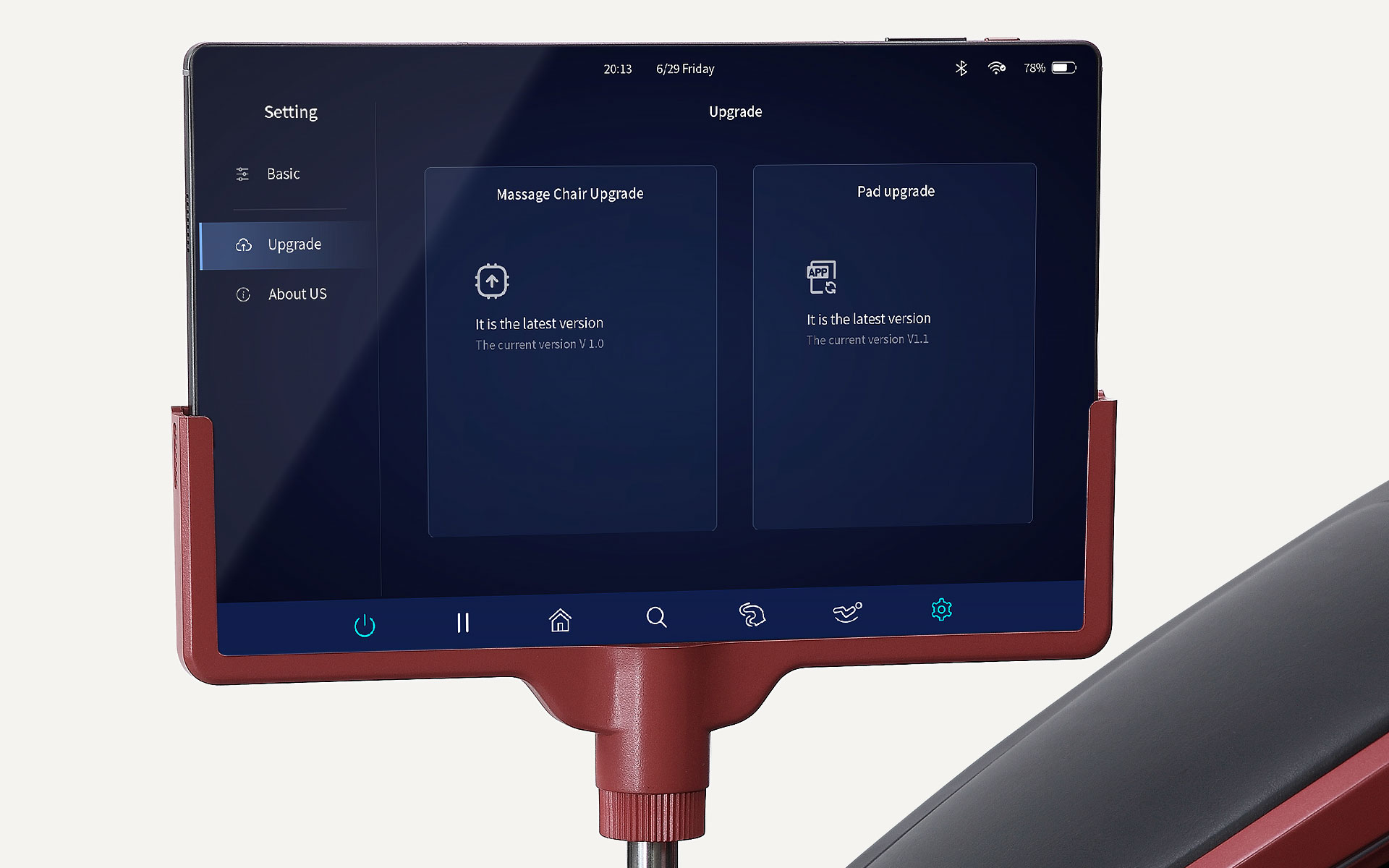
Some newer chairs can update through Wi-Fi. This process is more convenient, but it depends on a stable connection and a compatible app.
Start by placing the chair near your wireless router. A weak signal may interrupt the download. Use a standard home network if possible. Some massage chairs do not support 5 GHz networks, hidden networks, guest networks, or advanced security settings.
The usual process looks like this:
-
Open the official massage chair app.
-
Sign in to your account if required.
-
Connect the app to the chair.
-
Open device settings.
-
Select firmware update or system update.
-
Review the version details.
-
Start the download.
-
Keep the phone near the chair.
-
Wait for installation and restart.
Do not close the app unless the instructions say you can. Keep Bluetooth or Wi-Fi enabled on your phone. Do not switch to another network during the update.
If the app says the update failed, do not repeat the process again and again. First, check the chair’s current version. The update may have completed even though the app lost contact at the final step.

How to Update Massage Chair Software Through a Mobile App
Some apps update the chair directly. Others only update the app itself. This difference matters.
To update the chair through an app, look for a device page rather than the app store page. An app store update changes the software on your phone. A device firmware option changes software inside the chair.
Before using this method:
• Update the mobile app from the Apple App Store or Google Play.
• Turn on Bluetooth or Wi-Fi.
• Allow the app to access nearby devices.
• Keep the chair powered on.
• Keep your phone within a few feet of the chair.
• Close other apps that may interrupt the process.
If the app cannot find the chair, restart Bluetooth, restart the app, and power cycle the chair. Do not reset the chair to factory settings unless support tells you to do so. A factory reset may erase user profiles and saved programs without solving the connection problem.
When learning how to update massage chair software through an app, always confirm whether the app supports your model and country. Some features are limited by region.
What to Do If the Update Fails
A failed update does not always mean the chair is permanently damaged. First, stay calm and read the message on the remote or app.
Try these safe steps:
• Wait several minutes if the chair still shows progress.
• Check whether the chair restarted.
• Look for the current software version.
• Turn off the chair only if the instructions allow it.
• Remove the USB drive after the chair is fully off.
• Restart the chair and check its basic functions.
• Use a different USB drive if the manual permits it.
• Confirm that the file matches the exact model.
• Contact the manufacturer if the chair will not start.
Do not repeatedly unplug the chair during installation. Do not install an older file unless customer support approves it. Downgrading firmware can create conflicts between the chair’s main board, remote, and sensors.
If the display stays blank, the chair makes repeated beeps, or the motors move without responding, stop using it. Disconnect power only if there is a safety concern, such as heat, smoke, or a burning smell. Then contact qualified support.

Common Massage Chair Software Update Problems
The chair does not detect the USB drive
The drive may use the wrong format. It may also contain the update file inside an extra folder.
Check the required format and folder path. Try a small, basic USB drive. Avoid drives with built-in security tools or multiple partitions.
The update file is rejected
This often means the file does not match the chair model or current version. Confirm the model number and region.
A file for a newer hardware revision may not work on an older chair with the same brand name.
The app cannot connect
Restart the chair, phone, and app. Confirm that the chair supports the phone’s operating system and wireless band.
If the chair was previously paired with another phone, remove the old connection if the manual permits it.
The update stops at a percentage
The download may be incomplete, or the network may be weak. If you use Wi-Fi, move the chair closer to the router. If you use USB, download the file again from the official page.
The chair works but new features are missing
Some updates require a second update for the remote or app. Read the release notes. A feature may also be limited to a specific model or region.

Mistakes to Avoid When Updating Firmware
The most serious mistakes are easy to prevent. Take a few extra minutes before pressing the update button.
Avoid these errors:
• Guessing the model number
• Downloading files from unofficial websites
• Using a damaged or unstable USB drive
• Leaving other files on the USB drive
• Updating during a storm or power outage
• Interrupting the chair while it restarts
• Using an extension cord with a loose connection
• Assuming every USB port supports updates
• Skipping the release notes
• Resetting the chair without a backup
• Trying to fix a mechanical fault with software
One mistake I have seen often is starting an update late at night, then unplugging the chair because the screen appears frozen. Some chairs pause for several minutes while they verify files. The better habit is to update when you have time to watch the process from start to finish.
How Often Should You Update Massage Chair Software?
There is no universal update schedule. Some manufacturers release updates several times a year. Others release firmware only when they find a bug or add support for a new app.
Check for updates when:
• You buy a new chair
• The manufacturer recommends an update
• The app reports a new firmware version
• The chair develops a software-related error
• A new feature is announced
• Your remote or app stops connecting
Do not update simply because a random file appears online. A stable chair does not always need the newest version, especially if the update is optional.
Keep a record of the update date and version. This information helps customer support diagnose problems and can be useful when you sell the chair.
Benefits and Limits of Software Updates
A software update can improve the user experience, but it is not a guarantee of better massage performance.
Possible benefits include:
• Fewer control errors
• Better app support
• More reliable sensor readings
• Improved program timing
• New massage modes
• Better communication between the remote and main board
However, updates also have limits. They cannot increase the physical strength of a motor beyond its design. They cannot repair a torn fabric cover, worn gear, broken airbag, or damaged power cord.
Some updates may change familiar programs. A massage may feel different because the manufacturer adjusted speed, pressure, or timing. Read the update notes so you know what to expect.
Safety and Warranty Tips
Use only the official instructions for your exact chair. A massage chair contains moving parts, electrical components, heating elements, and control boards. Do not open the chair to install software unless the manufacturer specifically requires professional service.
Stop the update if you notice:
• Smoke
• Burning odor
• Excessive heat
• Sparks
• Unusual motor noise
• Sudden uncontrolled movement
• A damaged power cord
Many warranties require the use of authorized firmware. An unofficial file may void coverage or make service more difficult. Keep your receipt, model number, software version, and update record.
For safety guidance, follow the chair’s user manual and the electrical safety rules that apply in your area. If you are unsure, contact the manufacturer before proceeding.
Frequently Asked Questions About How to Update Massage Chair Software
Can I update my massage chair without Wi-Fi?
Yes. Many models support a USB firmware update. You need the correct file, a compatible USB drive, and the manufacturer’s exact instructions.
How do I know if my massage chair needs a software update?
Check the chair’s system information menu or official support page. An update may be useful when the manufacturer lists bug fixes, app support, new features, or a solution for your specific problem.
Can the wrong firmware damage a massage chair?
Yes. Incorrect firmware may cause the chair to reject the file, lose functions, or communicate poorly with its sensors and control boards. Always match the firmware to the full model number and region.
How long does a massage chair software update take?
Many updates take between five and 20 minutes, but the time varies by model and file size. Never interrupt the process just because the chair pauses or restarts.
What should I do if my chair will not turn on after an update?
Check the power connection and wait for the time listed in the instructions. If the display remains blank or the chair behaves strangely, stop trying repeated updates and contact the manufacturer or an authorized technician.
Will a software update erase my saved massage programs?
It may, depending on the chair and update type. Save custom settings when possible and read the release notes before installation.
Can I update the massage chair app instead of the chair firmware?
Updating the app only changes software on your phone. To update the chair, use the app’s device or firmware menu, or follow the USB process listed in the chair manual.
Conclusion
Learning how to update massage chair software is mostly about careful preparation. Identify the exact model, use an official firmware file, choose the correct USB or Wi-Fi method, and keep the chair powered on until the process ends.
A successful update may improve app support, fix errors, and add useful features. It will not repair physical damage, so treat unusual noises, heat, and movement as service issues. Follow the steps above, keep a record of your software version, and contact the manufacturer when anything seems unclear. Explore your brand’s support resources before starting, and share your experience or questions in the comments.